Members
→
Vector users
Members & balances.
Every member, with current balance, saved-card token, membership tier, and join date. Active members keep their login on day one.
MyFBO is shutting down. Vector imports your entire database automatically — members, aircraft, maintenance, pilot currency, balances, and your full history — so you switch to a modern platform in a single day and don't lose a thing.
Switch to Vector before the end of July 2026 and you'll pay exactly what you pay MyFBO today — locked in. A modern platform, free white-glove migration, and no reason to stay on software you've outgrown.
No CSV gymnastics, no re-keying years of records. You send us your MyFBO export and we import the whole thing — members, aircraft, recurring maintenance, pilot currency, balances, and your full historical logbook. The import itself takes about an hour; most schools are dispatching on Vector the same day.
Pull your export from MyFBO — or we'll walk you through it. Nothing to reformat, nothing to clean up first. It goes straight into your own Vector tenant.
Members, fleet, recurring maintenance, currency, balances, and every historical flight — mapped automatically in about an hour. Every record keeps a source: 'myfbo' lineage tag, so your history stays auditable.
Schedule loaded, currency intact, maintenance computed forward, cards-on-file preserved. You dispatch the same day — on better software, with all of your history behind you.
A modern, fast platform built by someone who runs a flight operation every day — not a list of features bolted onto decade-old software.
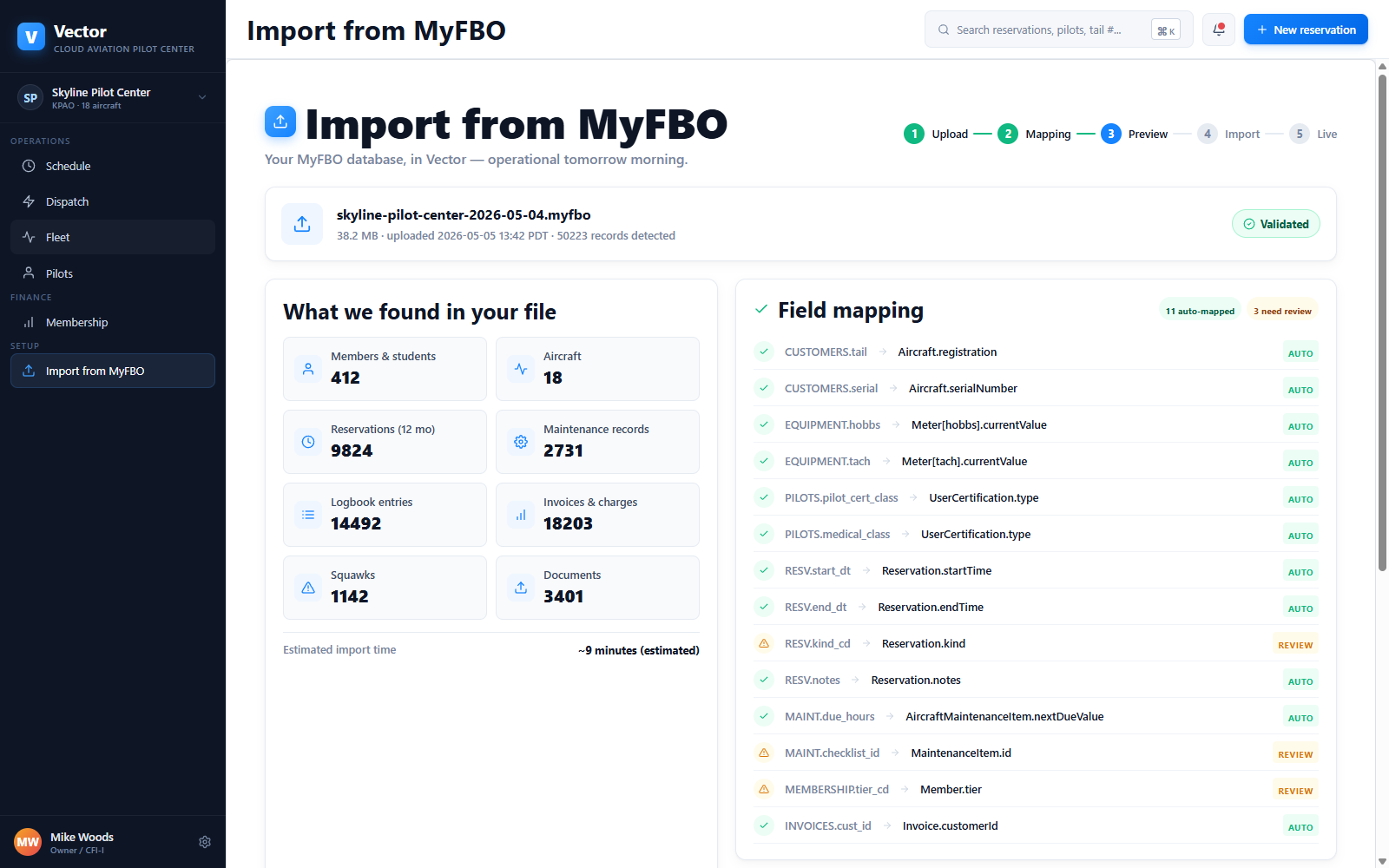
One screen maps every entity from your export into Vector and shows you exactly what landed — members, aircraft, maintenance, currency, balances, and history — before it's committed.
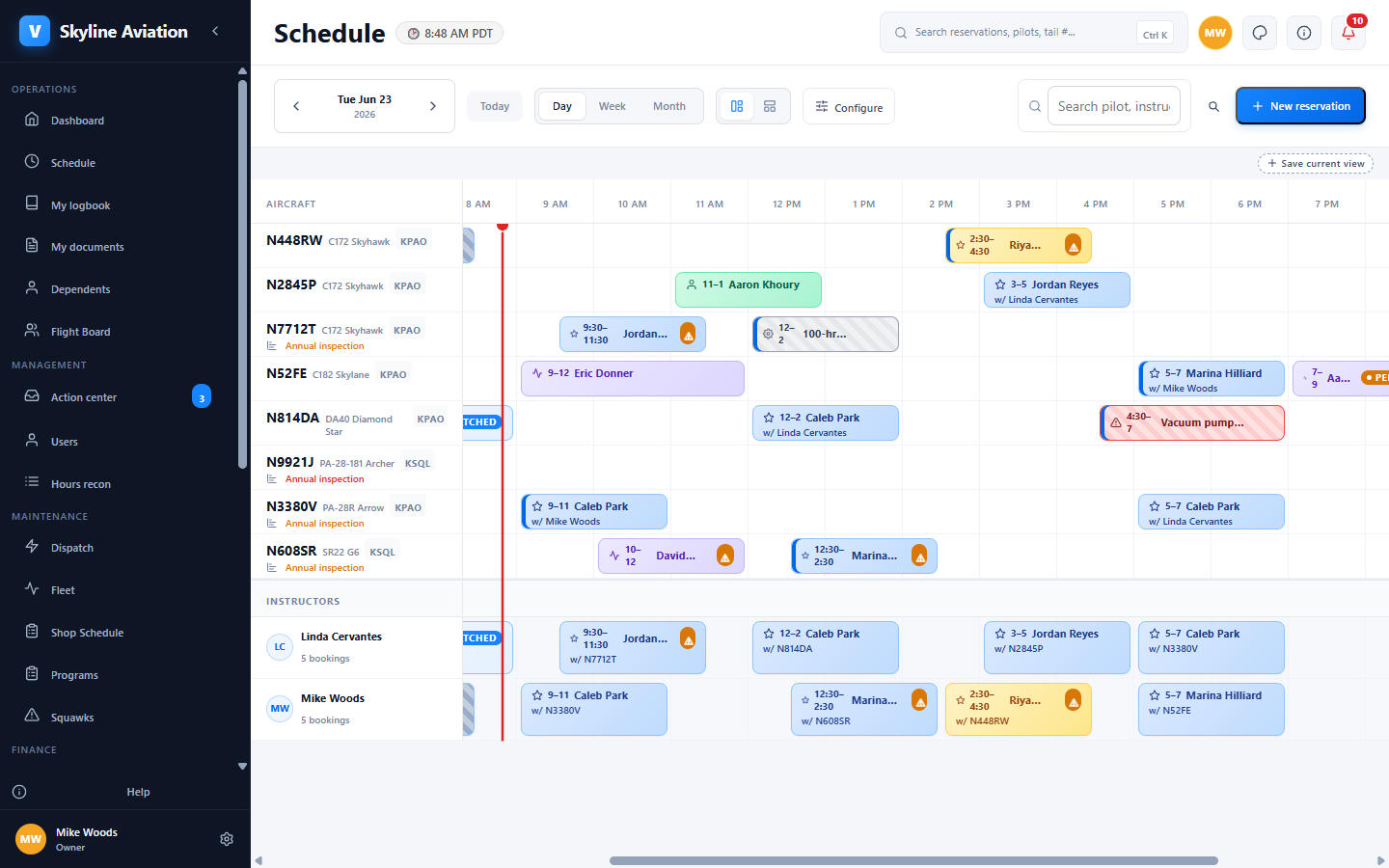
A dense, drag-and-drop scheduling board built for the front desk and dispatch — create, move, and resolve conflicts without ever leaving the screen.
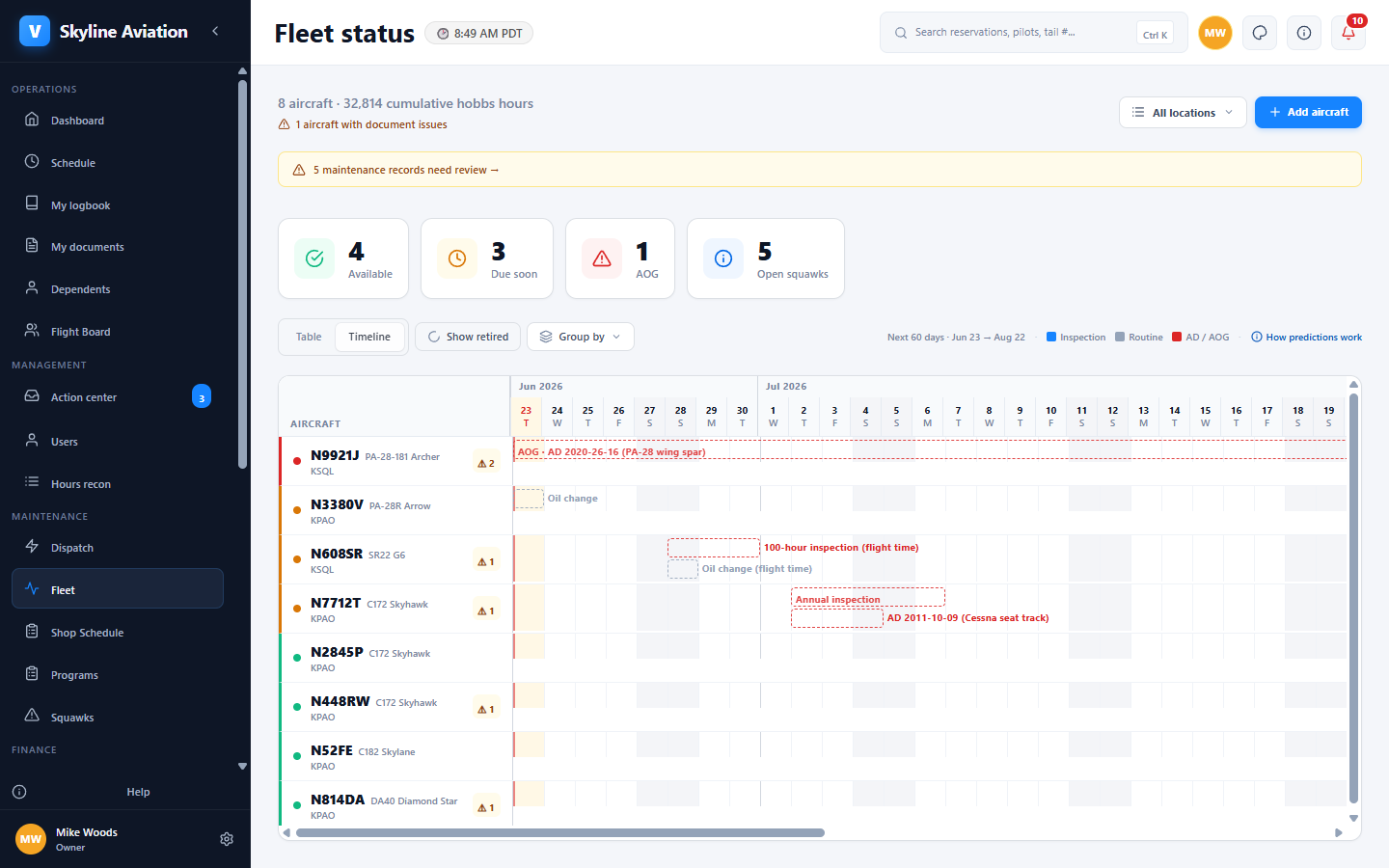
Recurring maintenance and pilot currency come across with their history and project their next-due dates automatically — then gate dispatch from day one.
14 entity types from your .myfbo export are mapped automatically. Every imported record keeps a source: 'myfbo' lineage tag — fully auditable if the FAA ever asks where the data came from.
Every member, with current balance, saved-card token, membership tier, and join date. Active members keep their login on day one.
Tail, model, equipment, current hobbs and tach, location, base rate. Squawk history preserved with original timestamps.
Upcoming bookings imported with original participants, kind, and notes. Past reservations preserved as logbook entries.
100-hour, annual, ELT, transponder, pitot-static — all imported with last-done and computed next-due. Date / hours / cycles modes preserved.
Medicals, BFRs, IPCs, type ratings, per-aircraft checkouts. Currency status computed forward; expirations gated at dispatch from day one.
Every prior flight as a logbook entry with engine, prop, and airframe times. PDF export available for FAA inspection on demand.
Start a trial and bring your MyFBO history with you — or take the full tour first. Either way, you switch in a day and keep everything.